How to edit a loan

How to edit a loan

EDIT LOAN
How to edit a loan


Steps

Actions

1

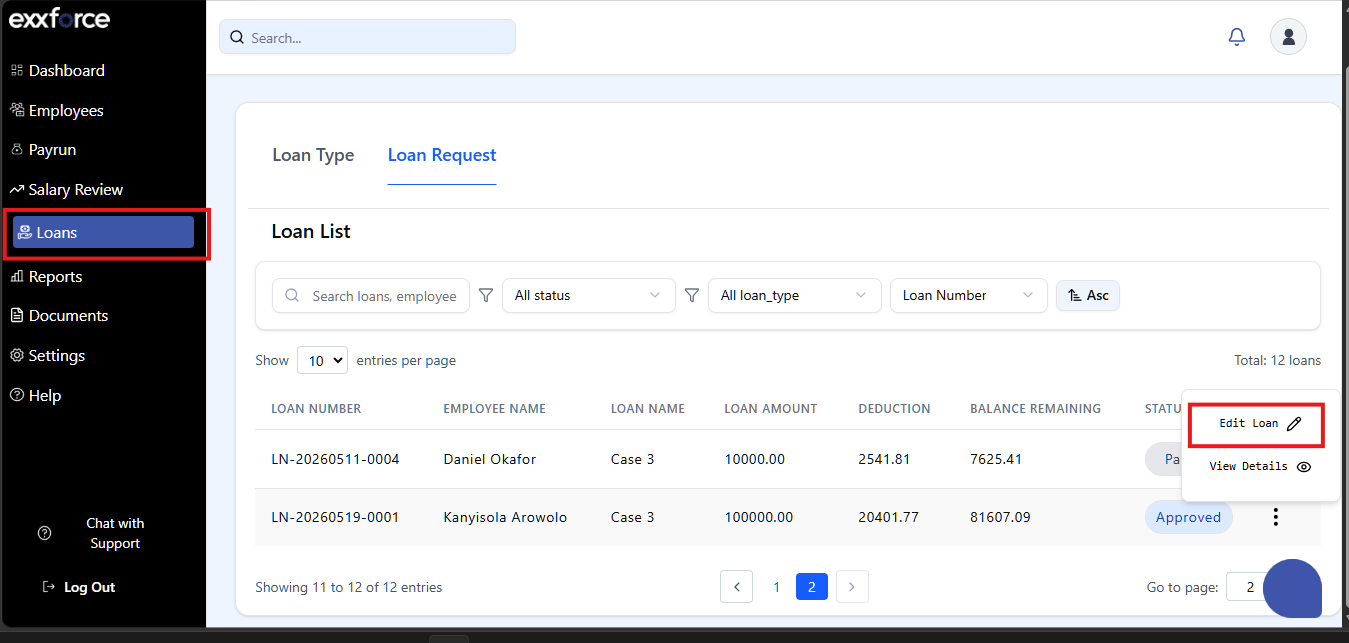
Go to the loan module on the left side of the dashboard

2

Click on the eclipses > Edit loan

3

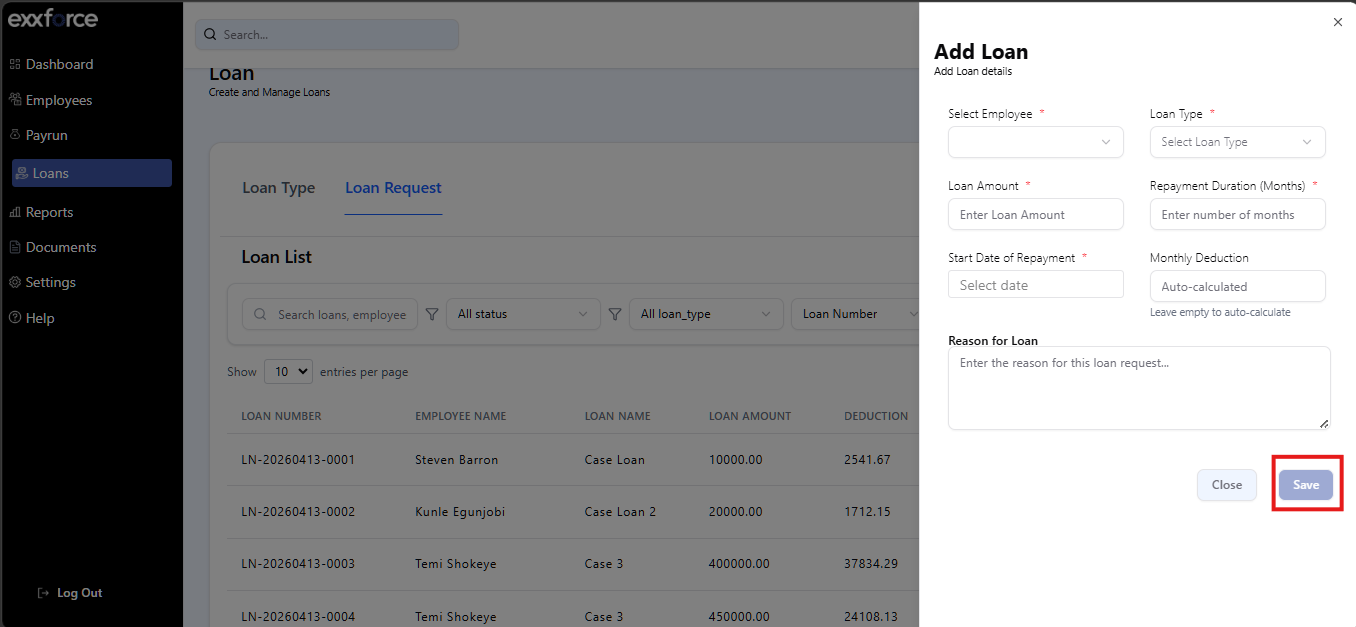
Make the changes e.g. loan amount, repayment date etc.

4

Click Save Changes

    • Related Articles

    • Loan

      Loan The Loans module in Exxforce Payroll helps you manage all the loans that you’ve provided to your employees. You can deduct repayments from the employees’ salaries each month, and record manual repayments as well. Recording Loans To Record a ...
    • How to pause a loan

      PAUSE LOAN How to pause a loan Steps Actions 1 Go to the loan module 2 Click on the eclipses > View details 3 Click on the eclipses > Pause loan 4 Select the pause type, start date, resume date and reason for pause 5 Click Pause loan
    • How to edit a payrun

      EDIT PAYRUN You can make changes to a payrun that has been created such as a one-off benefit or deductions, gross pay e.tc Note: you can only edit a payrun with the status draft and approved, you can’t edit a processed payrun. How to edit a payrun ...
    • Company profile

      How to set up or update your company profile: To make any changes to the Organization Profile, you must be an Admin. 1. Log in to your Exxforce Payroll account. 2. Navigate to the Company Settings page in Settings. 3. Update the fields across the ...
    • Leve Type and Approval Flow

      You can manage your company leave type and policies here. To add your leave type Steps Action 1 Navigate to the Company Settings page in Settings 2 Click leave type then Add leave type name 3 Add the default days 4 Add Minimum Months Required 5 Tick ...