How to edit a payrun
EDIT PAYRUN
You can make changes to a payrun that has been created such as a one-off benefit or deductions, gross pay e.tc
Note: you can only edit a payrun with the status draft and approved, you can’t edit a processed payrun.
How to edit a payrun
|
Steps |
Actions |
|
1 |
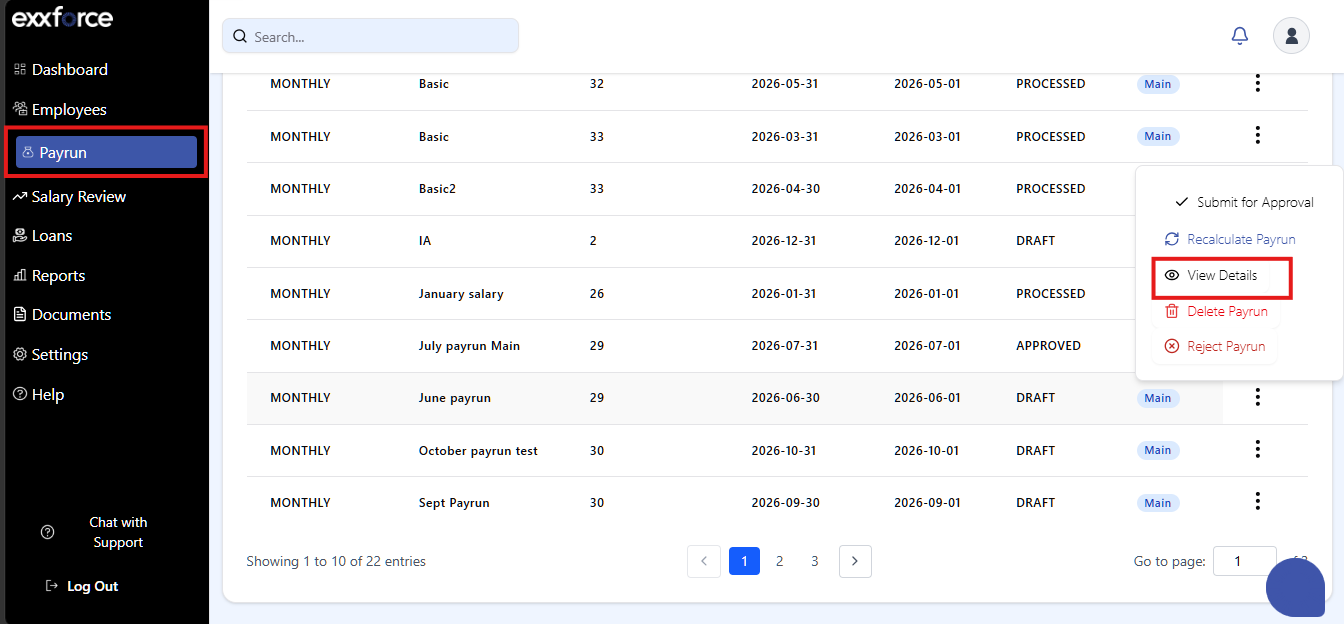
Click on the payrun created |
|
2 |
click on view Details |
|
3 |
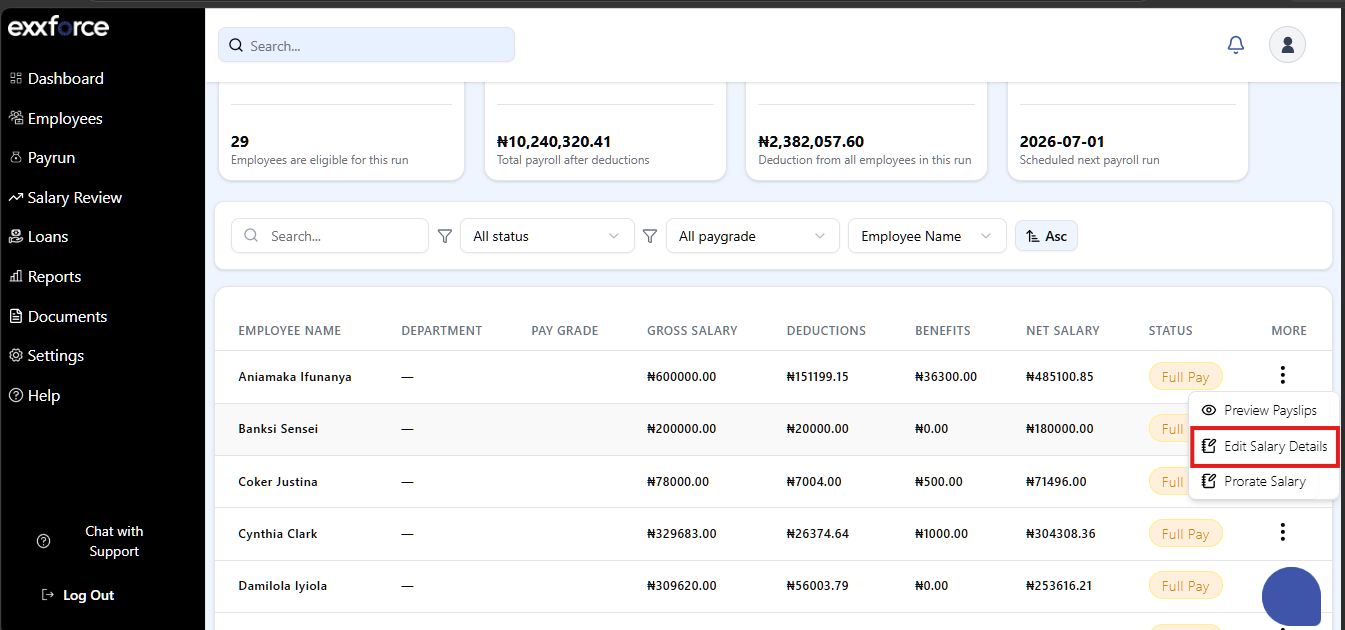
Hover to the employee whose detail you want to edit |
|
4 |
Click on the eclipses > Edit Salary Details |
|
5 |
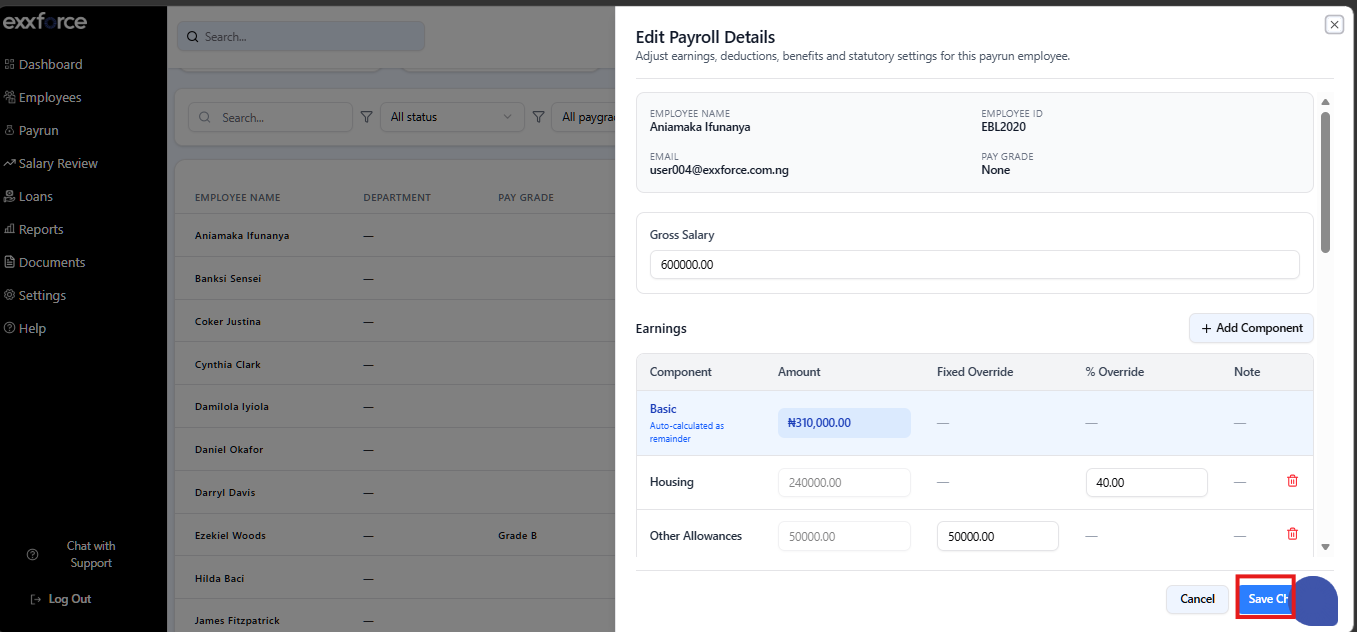
Input your changes e.g. gross, benefit deductions e.tc |
|
6 |
Click save Changes |
Bulk Action
you can use the bulk action button in the payrun to make changes to a specific payrun in bulk before final submission.
Note: This can only be done in a draft and approved payrun
|
Steps |
Actions |
|
1 |
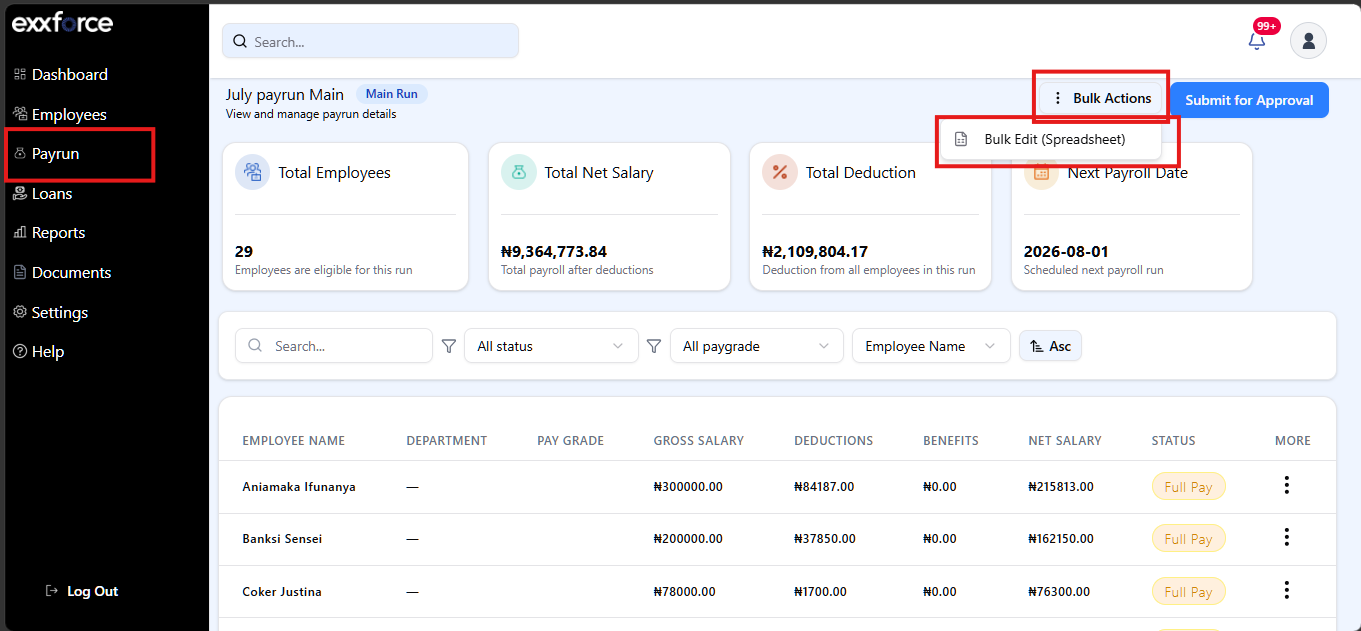
Go to payrun > select view details on the payrun |
|
2 |
On the top right side of the screen click on bulk action |
|
3 |
Pick from the drop down the changes you want to make |
|
4 |
Click continue >Save changes |